

Flexible packaging plant in Nový Bydžov, part of Amcor plc (NYSE: AMCR). Measured over one year.
26%
faster repairs
€190K
a year back at the plant
AI debugging platform for packaging lines. Edmund reads the PLC programs, drawings and OEM manuals of every machine on the line, plus your maintenance logs, and tells your technicians why the line stopped, with the source for every step.


Found the servo control block FB 1343 Faulhaber MCBL. The drive is enabled when it is online, not cancelled, and a motion command (Home / Jog / Positioning) requests it.
142//Go Hall Zero 143IF #GoHallZero AND NOT #Cancel AND NOT #Stop THEN 144 IF NOT #status.enabled THEN 145 #state.enable.start := true; 146 END_IF; 147 #state.goHallZero.start := true; 148 #status.done := false; 149END_IF;
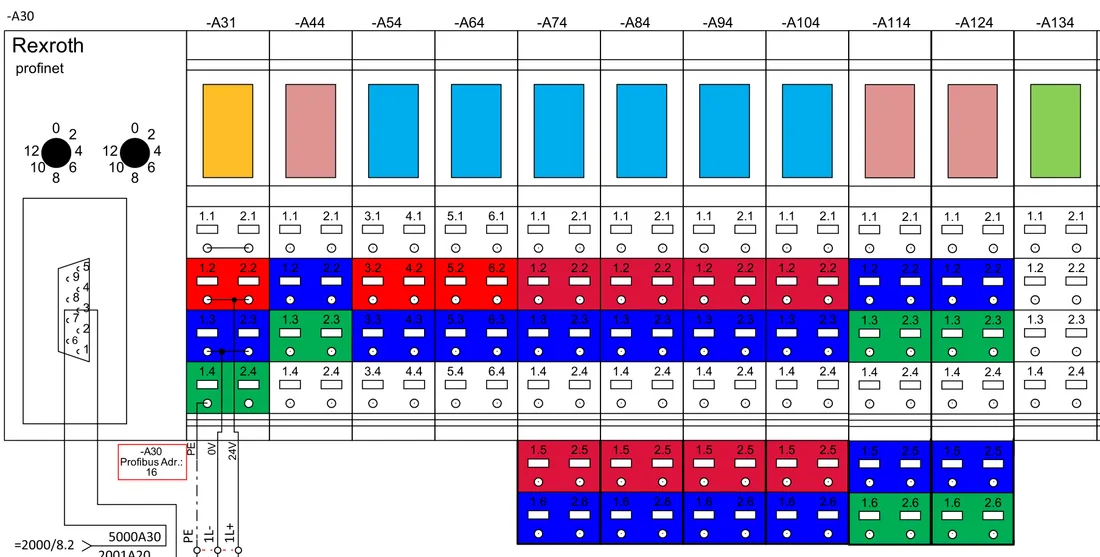
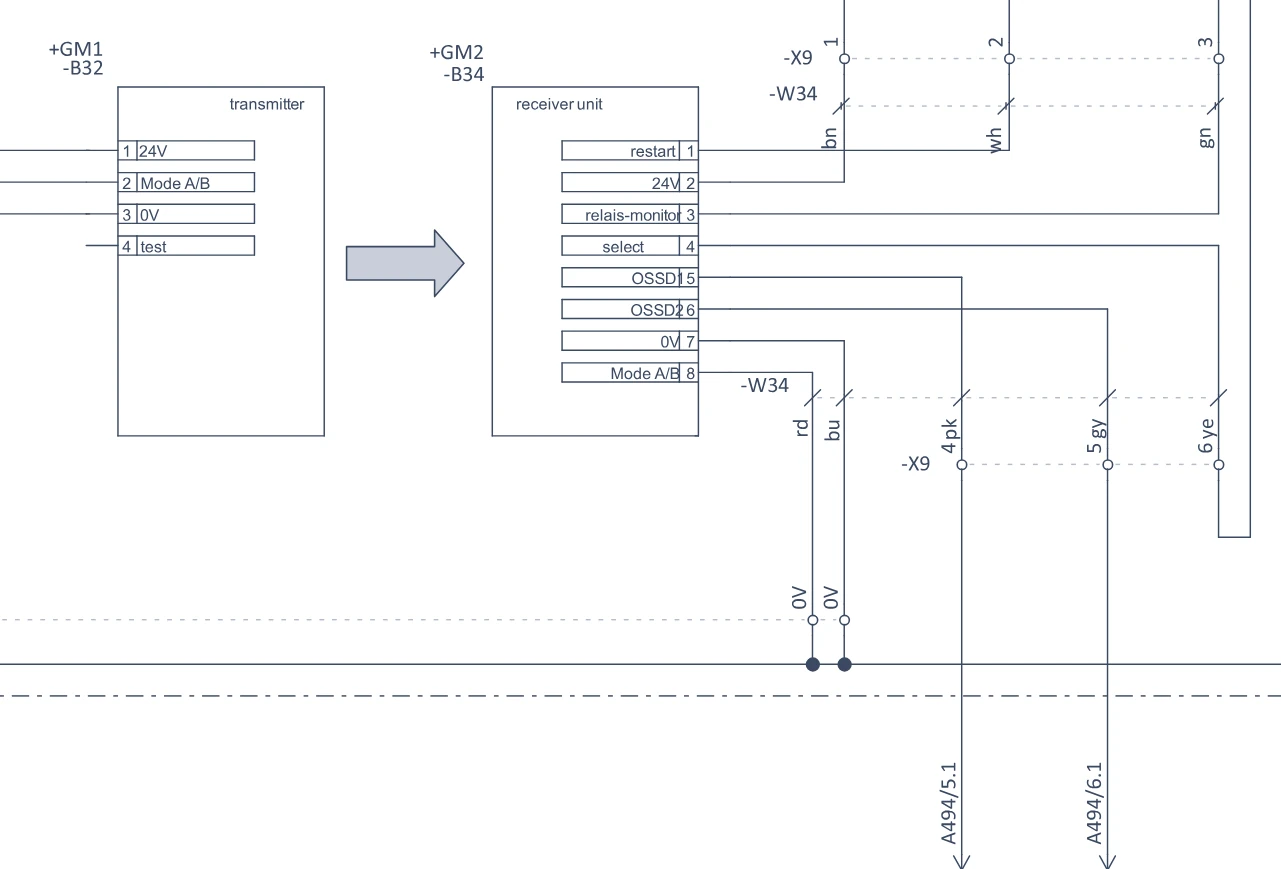
-94B1 is the product-detect photocell (SICK WL12-2P430) on conveyor 3. It's wired to input %I4.3 on DI module -A4, through terminal X1:11–12 in cabinet +SK3.
Pulled IMM01 power from the MES historian for Jan 12–18, 2026 and bucketed it by machine state:
The machine drew power while idle for 74 h — more than double its 31 h of actual production. Trimming idle time is the fastest saving here.
From the conveyor 3 manual (rev 04/2024):
"Clean the lenses of all photocells in the infeed section every 240 operating hours. Dust on a lens causes dropouts on the product-detect signal."
Your maintenance log shows the lens was last cleaned 312 h ago, past the 240 h interval. That lines up with the repeated photocell dropouts.
Yes — the Station 52 photocell replacement (Tomáš Marek, Apr 23) sits at the top of the Line 4 journal, indexed alongside every recent fix:
Open any entry for the full symptom, cause, and fix — so the next technician inherits it instead of rediscovering it.
Assembly line 4 is fully indexed and every source is active:
A plant lead can confirm coverage at a glance — and catch a source that's gone stale before someone hits the gap mid-fault.
Trusted by leading global manufacturers


An hour of unplanned downtime at a consumer goods plant, on average (Siemens, The True Cost of Downtime 2024).
We bet your last downtime took more hours than you would have liked.
On a packaging line, clearing the jam takes minutes. Finding why it happened takes the rest of the hour: the sensor behind the fault code, and the page in the OEM manual that explains it. The answer is in your PLC programs, drawings, alarm history and maintenance logs, and in the heads of your senior people.
Edmund reads each machine’s PLC program, electrical drawings and OEM manual, plus your maintenance log, and answers from all of them at once.
Siemens, Omron and Allen-Bradley projects from each OEM, plus anything that compiles to IEC 61131-3, in one searchable model. Edmund answers with the block and the line, so a technician can follow code an OEM wrote.





142//Go Hall Zero 143IF #GoHallZero AND NOT #Cancel AND NOT #Stop THEN 144 IF NOT #status.enabled THEN 145 #state.enable.start := true; 146 END_IF; 147 #state.goHallZero.start := true; 148 #status.done := false; 149END_IF; 150//Position abnullen 151IF #SetPositionNull AND #status.online THEN 152 #state.setPositionNull.start := true; 153END_IF;
A tag resolves to the cabinet and the terminal on the filler or the case packer. Finding where a signal is wired takes seconds instead of a search through the OEM’s drawing set.



 %I4.3
%I4.3 Stop reasons and reject counts from SQL and MES. Edmund confirms or rules out a cause across shifts and SKUs, and comes back with a next step.


 MES ERP Time-series 10+ DB connectors
 Manuals for fillers, labelers, case packers and palletizers, change-part instructions and datasheets, answered with the exact page and paragraph.
"Clean the lenses of all photocells in the infeed section every 240 operating hours. Dust on a lens causes dropouts on the product-detect signal."
Work orders and handwritten shift logs become searchable. The last fix for the same fault comes back with the answer.
| Name | Status | Creator | Last updated | ||
|---|---|---|---|---|---|
| Photocell stop, conveyor 3 | Processed | M. Novák | 04/25/2026 | ||
| Photocell stop, conveyor 3 | Processed | P. Doležal | 04/16/2026 | ||
| Light barrier lenses cleaned | Processed | T. Marek | 04/12/2026 | ||
| Photocell stop, conveyor 3 | Processed | Night shift | 04/03/2026 |
A live count of what is indexed for each machine, with the time of the last sync. The maintenance lead sees the gaps before someone hits one mid-fault.
ABB RAPID modules and the robot controller’s I/O, next to the PLC programs of the same line, from the palletizer to the pick-and-place cell. Each signal comes with its address on the I/O module and the RAPID code that uses it. We are building it with an automotive supplier, on an end-of-line test cell.




The one that stops the line at changeover, or the code nobody on night shift can place. We diagnose it for free: describe it below, then pick a time for a 20-minute call.
A sentence or two about the fault, and your details.
We agree which files we need. The 24 hours start when they arrive.
Why the line stopped and which machine’s program and manual page it comes from, with the source for each step.
Flexible packaging plant in Nový Bydžov, part of Amcor plc (NYSE: AMCR). Measured over one year.
Corrugated and carton packaging, part of Model Group.
“AI is the only tool that can systematically work with data from multiple sources. Using Edmund has led to a lower frequency of a specific failure, or even its complete elimination.”
No. Edmund reads each machine’s own program, drawings and manual, so a line built by five OEMs is five sets of sources in one search. Siemens, Omron and Allen-Bradley projects are read the same way.
At first, the fault in a sentence or two and your details. On the call we agree which files matter, usually the PLC project or an export of it and the alarm log, and you hand them over. Missing pieces are fine: the answer says which sources it used.
Into Edmund on AWS, hosted in the EU (Ireland) or in the US, whichever you choose. It is encrypted and kept inside a single-tenant boundary for your company, and the language model runs under zero data retention, so nothing you send is kept for training.
Not for the first answer. It comes from the files you export. Live data from SQL or MES is connected later, if you want it, and Edmund only reads: nothing in your production systems gets changed.
Edmund s.r.o., from Ostrava in the Czech Republic. It came out of an industrial consulting practice and today runs on 130+ machines across four countries.
This project was realised via financial support from Technological Incubation program