


VFD troubleshooting: common drive faults and what to check first
The drive trips, someone resets it, it trips again. What common VFD faults mean, what to check first, and the codes on PowerFlex, ABB, SINAMICS and Yaskawa drives.
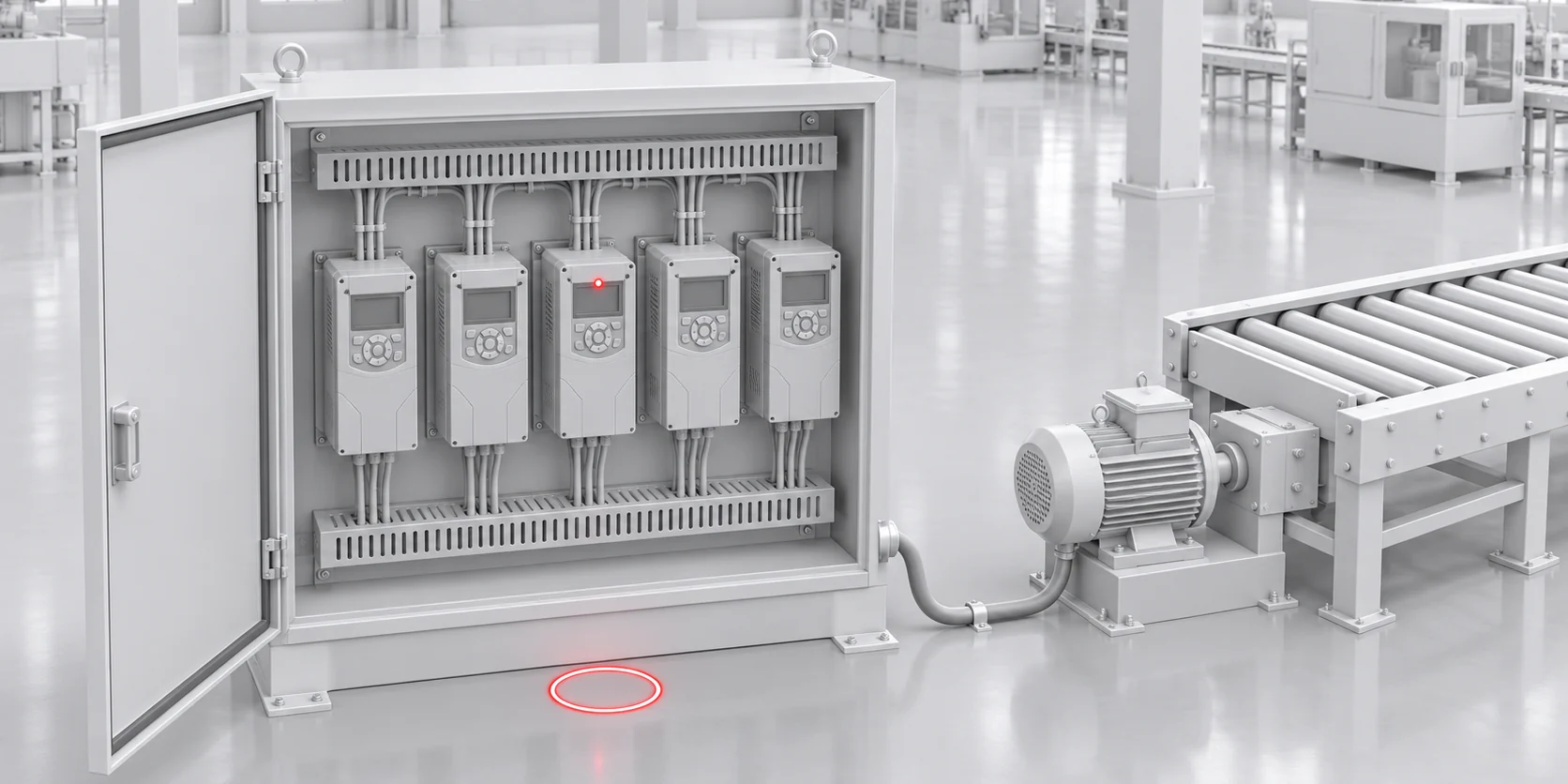
The infeed conveyor’s drive trips on overcurrent. Someone resets it from the keypad, the conveyor runs, and an hour later it trips again. By the third reset the code is still on the display, and nobody has written it down. Every plant has a drive like that, and most technicians have pressed that reset button themselves.
That code is where VFD troubleshooting starts.
A variable frequency drive (VFD) trips when it detects a condition that could damage itself or the motor: it switches off its output, so the motor coasts to a stop unless a brake holds it, and it shows a fault code. Each code points at a part of the power path, from the supply to the load. On most drives the codes fall into the same handful of families, and each family has a short list of usual causes.
How a VFD works
A drive rectifies the incoming AC supply into DC, stores it in the DC bus (also called the DC link or intermediate circuit) in high-voltage capacitors, and switches it with IGBT transistors into a series of voltage pulses that feed the motor (Rockwell). When the motor slows a heavy load, energy flows back the other way into those capacitors, which is why many drives have a brake chopper and resistor (Yaskawa).
The drive watches current, voltage and temperature at each stage. A fault code tells you which measurement went out of range.
Safety before you measure
The DC bus capacitors stay charged after the supply is switched off, and the wait differs from drive to drive. Rockwell’s PowerFlex 520-series quick start says to wait three minutes and warns that “darkened display LEDs is not an indication that capacitors have discharged to safe voltage levels” (Rockwell). Siemens says to wait for the discharge time on the drive’s warning label (Siemens).
So read the label and the manual for the drive in front of you, follow your plant’s lockout procedure, and then measure before you touch anything:
- The input terminals, line to line and line to ground. This proves the right supply is off.
- The DC bus, where the drive brings out its terminals.
- Every power terminal to ground.
Rockwell’s rule is simple: “the voltage must be zero”, and the discharge “may take several minutes”. Check that control supplies fed from elsewhere are off too, and that the motor can’t turn. A turning permanent-magnet motor generates voltage at the drive terminals all by itself.
Some checks need the drive powered, like measuring the supply on all three phases or checking the run command. Measuring at live power terminals is energized electrical work, for qualified people only, with the protective equipment your plant sets for that voltage (OSHA 1910.333 in the US, EN 50110-1 in Europe).
Before you isolate, read the drive’s own measurements on the keypad: the DC bus voltage (PowerFlex b005, ABB 01.11, SINAMICS r0026, Yaskawa U1-07), the output current and the heatsink temperature. The bus normally sits at about 1.35 times the line-to-line supply voltage, so about 650 V DC on a 480 V supply. A low reading at idle points at the supply, and one that climbs on every stop points at the ramp or the brake circuit.
Insulation testing finds ground faults, but never with the drive connected. Siemens says to disconnect converters before voltage or insulation tests on the machine, and Yaskawa warns against a withstand voltage test “on any part of the drive”. Disconnect the motor cable at the drive, then test the cable and the motor.
Common VFD faults and what causes them
- SupplyMains, fuses, input wiring
- RectifierAC to DC
- DC busCapacitors, brake chopper
- InverterIGBTs, heatsink, fan
- Motor cableCable, terminals
- MotorWindings, bearings
- LoadThe driven machine
Overcurrent. Output current rose above the drive’s trip limit, too fast for its current limit to hold it back.
- Look for
- A jammed or binding load, an acceleration time that is too short, or a short circuit or ground fault in the motor cable or the motor.
- Shown as
- PowerFlex F012 HW OverCurrentABB 2310 OvercurrentSINAMICS F30001 OvercurrentYaskawa oC
Overvoltage. The DC bus voltage rose too high, most often while the motor was slowing down and feeding energy back.
- Look for
- A deceleration time that is too short for the load’s inertia, a missing or failed brake resistor or chopper, the drive’s overvoltage controller switched off, a high or unstable supply voltage.
- Shown as
- PowerFlex F005 OverVoltageABB 3210 DC link overvoltageSINAMICS F30002 DC-link voltage overvoltageYaskawa ov
Undervoltage. The DC bus voltage fell too low, because the supply dipped or a phase was lost.
- Look for
- Supply dips and outages, a blown input fuse or lost phase, loose input terminals, a weak supply when large loads start.
- Shown as
- PowerFlex F004 UnderVoltageABB 3220 DC link undervoltageSINAMICS F30003 DC-link voltage undervoltageYaskawa Uv1
Ground fault. Current is leaking to earth between the drive output and the motor.
- Look for
- Damaged motor cable insulation, water or dust in a terminal box, a motor winding failing to earth. Test insulation with the drive disconnected.
- Shown as
- PowerFlex F013 Ground FaultABB 2330 Earth leakageSINAMICS F30021 Ground faultYaskawa GF (GA500)
Overtemperature. The drive’s heatsink or power stage got too hot.
- Look for
- A stopped or clogged cooling fan, dirty heatsink fins, a hot cabinet or blocked airflow, a drive running near its rating for long periods, a switching frequency raised above the default.
- Shown as
- PowerFlex F008 Heatsink OvrTmpABB 4210 IGBT overtemperatureSINAMICS F30004 Converter overtemperatureYaskawa oH1
Motor overload. The motor carried more current than its rating for too long, by the drive’s thermal model of the motor.
- Look for
- A load heavier than usual, mechanical binding or worn bearings, wrong motor nameplate data in the drive, running slowly for long periods with a self-cooled motor.
- Shown as
- PowerFlex F007 Motor OverloadABB 7122 Motor overloadSINAMICS F07011 Motor overtemperatureYaskawa oL1
The codes below are the vendors’ own, from the PowerFlex 523 and 525 quick start, the ABB ACS580 firmware manual, the SINAMICS G120C getting-started guide and the Yaskawa J1000 quick start guide, with two Yaskawa codes from the GA500 manual. Other models in the same families use similar names, but check the manual for your drive.
Overcurrent
The output current rose above the drive’s trip limit, too fast for its current limit to hold it back. The usual suspects: a jammed or binding load, an acceleration time that’s too short for the load, or a short circuit or ground fault in the motor cable or the motor. ABB adds that its overcurrent fault “may also be caused by an earth fault or supply phase loss” (ABB ACS580 firmware manual).
Check the load first. With the drive isolated and locked out, turn the machine by hand if its size allows, and look for a jam. Don’t rely on a tripped drive to keep the motor still: many drives can reset a fault and restart on their own, and ABB warns that its autoreset function “restarts the drive automatically and continues operation after a fault”. Then check the motor cable and the motor for damage, and the acceleration time against the load. Rockwell’s advice for F012 also lists the boost setting and DC brake voltage. After a motor change, check that the nameplate data in the drive and the star or delta connection match the new motor, and that no contactor or isolator in the motor cable switches while the drive runs.
Shown as: PowerFlex F012 HW OverCurrent, ABB 2310 Overcurrent, SINAMICS F30001 Overcurrent, Yaskawa oC.
Overvoltage
The DC bus voltage rose too high. It usually happens while the motor slows down: a load with a lot of inertia, like a fan or a heavy roll, drives the motor as a generator and pushes energy back into the drive. Rockwell: “Bus overvoltage can also be caused by motor regeneration. Extend the decel time or install dynamic brake option.” A supply voltage that’s high or spikes can cause it too.
Most drives also have a DC bus voltage controller that stretches the deceleration to keep the bus below the trip level: Rockwell’s bus regulator (A550), ABB’s overvoltage control (30.30), the SINAMICS Vdc_max controller (p1240, p1280) and Yaskawa’s stall prevention during deceleration (L3-04). ABB’s checks for 3210 start with that controller, then the supply voltage, the brake chopper and resistor, and the deceleration time. Where a brake resistor is fitted, ABB and Yaskawa want the controller off so the chopper can do its job, so check the setting against the brake hardware actually installed.
Shown as: PowerFlex F005 OverVoltage, ABB 3210 DC link overvoltage, SINAMICS F30002 DC-link voltage overvoltage, Yaskawa ov.
Undervoltage
The DC bus voltage fell too low. ABB lists the usual reasons as “a missing supply phase, blown fuse or fault in the rectifier bridge”. Check the supply on all three phases, the input fuses or breaker, and the input terminals. Big motors starting on the same supply can cause short dips. And on some drives this fault doesn’t even make it into the history: Yaskawa’s J1000 guide notes that its “Uv1 fault is not saved to the fault history”. One more reason to write codes down.
Shown as: PowerFlex F004 UnderVoltage, ABB 3220 DC link undervoltage, SINAMICS F30003 DC-link voltage undervoltage, Yaskawa Uv1.
Ground fault
Current is leaking to earth between the drive output and the motor. ABB describes its earth leakage fault as “load unbalance typically due to earth fault in motor or motor cable”. The usual causes are damaged cable insulation, water or conductive dust in a terminal box, or a motor winding failing to earth. With the drive disconnected, test the insulation of the cable and the motor separately to find which one has failed.
Shown as: PowerFlex F013 Ground Fault, ABB 2330 Earth leakage, SINAMICS F30021 Ground fault, Yaskawa GF Ground Fault on models such as the GA500.
Overtemperature
The drive’s heatsink or power stage got too hot. Here the vendors all start in the same place: Rockwell says to “check for blocked or dirty heat sink fins” and the ambient temperature, Siemens to check “whether the converter fan is running”, and ABB the air flow, the fan and dust on the heatsink. A drive that runs near its rating for long periods is more sensitive to all of them, and so is one whose switching frequency was raised above the default. Siemens’ advice for F30004 includes reducing the pulse frequency.
Shown as: PowerFlex F008 Heatsink OvrTmp, ABB 4210 IGBT overtemperature or 4310 Excess temperature, SINAMICS F30004 Converter overtemperature, Yaskawa oH1 Heatsink Overheat.
Motor overload
The drive’s thermal model of the motor says the motor has carried too much current for too long. Rockwell’s advice for F007 is to reduce the load so the output current stays within the motor overload current set in the drive. Check the load for binding or a change in the product, the motor’s bearings, and the motor data entered in the drive, because a wrong nameplate current makes the model trip early or late. A self-cooled motor running slowly for long periods also cools less.
Shown as: PowerFlex F007 Motor Overload, ABB 7122 Motor overload, SINAMICS F07011 Motor overtemperature, Yaskawa oL1 Motor Overload.
Other common codes
- Drive overload: the drive itself, rather than the motor, ran above its rating for too long. PowerFlex F064, ABB 2381 IGBT overload, SINAMICS F30005, Yaskawa oL2.
- Input phase loss: one supply phase is missing or badly unbalanced. ABB 3130, SINAMICS F30011 Line phase failure, Yaskawa PF.
- Output phase loss: a motor phase is open, at the cable, the terminals or the winding. PowerFlex F021, ABB 3381, SINAMICS F30015, Yaskawa LF.
- Communication loss: the drive lost its fieldbus or network connection. PowerFlex F081 to F083, ABB 6681 or 7510, SINAMICS F08501 Setpoint timeout on PROFINET, Yaskawa CE on Modbus or bUS on a fieldbus option card.
Fault history and trip patterns
Before you reset anything, write the code down with the time and what the machine was doing. A pattern tells you more than one trip. Overvoltage at the end of every deceleration points at the deceleration time or the brake resistor. Random overcurrent trips under load, like the conveyor’s, point at the mechanics or the cable.
If the trips keep coming back after every fix, stop resetting and run a root cause analysis. And keep the record somewhere the next shift will find it. A code that lives only on the display is gone with the next reset, and that’s how a plant ends up forgetting the same fault again and again.
When the drive is not the problem
A drive that shows no fault and doesn’t run is usually waiting for something:
- No run command: the PLC or the start circuit isn’t giving the drive its start signal. Our PLC troubleshooting guide goes through that side.
- Safe torque off: many drives have a safe torque off input wired to the machine’s safety circuit. When it opens, the drive can’t make torque, and some drives report it as a fault, such as PowerFlex F059 Safety Open or ABB 5091 Safe torque off. That’s the safety system doing its job, so find out why the safety circuit opened. And remember that safe torque off leaves the voltage on. ABB’s application guide for the function warns that it “does not disconnect the voltage of the main and auxiliary circuits from the drive” (ABB), so work on the drive, the cable or the motor still needs isolation and lockout.
- No speed reference: the analog or network setpoint is missing or zero.
- Local control: the drive was left in local or keypad control after maintenance, or its start or speed source was changed, so it ignores the PLC. ABB and Yaskawa keypads have a key for it (Loc/Rem, LO/RE), and on a PowerFlex 525 the start source is parameter P046.
A VFD troubleshooting order
- Read the code and the fault history, and write them down with the time and what the machine was doing.
- Before you open the drive or touch its power wiring, isolate and lock it out, wait the time on its label and measure.
- Look at the obvious: the load, the motor, the cable, the fan, signs of heat or water.
- Work through the usual causes for that fault family.
- Reset only when the cause is found or ruled out, check whether automatic restart is enabled, and watch the first restart.
Where Edmund fits
The meaning of the fault code is in the drive’s manual, the wiring is in the electrical drawings, the run command and interlocks are in the PLC program, and the last time the same code appeared is in the maintenance journal. Edmund reads all four. So a technician who asks why drive -U3 trips on overvoltage gets the meaning of the code for that drive, the brake resistor and its wiring from the drawings, and what fixed it last time, with the source of each. If you have a drive that trips every other shift, send us the code.
Frequently asked questions
What causes a VFD overcurrent fault?
A jammed or binding load, an acceleration time that’s too short, or a short circuit or ground fault in the motor cable or motor. On some drives a supply phase loss can show up as overcurrent too.
Why does a VFD trip on overvoltage when stopping?
During deceleration the load drives the motor as a generator and feeds energy back into the DC bus. If the deceleration time is too short or the brake resistor is missing or failed, the bus voltage rises until the drive trips.
Can a bad motor cause a VFD fault?
Yes. A winding failing to earth causes ground faults, a short in the winding or cable causes overcurrent, and a bearing that starts to seize can load the motor until the drive trips on overload.
How long should I wait before working on a VFD?
As long as the drive’s label and manual say, which differs by model: three minutes for a PowerFlex 520-series drive, for example. Then measure the input terminals, the DC bus and the power terminals to ground until they read zero. A dark display doesn’t mean the capacitors are discharged.
How do I reset a VFD fault?
The way the drive’s manual describes, usually from the keypad, a digital input or the network. Find the cause first, because a drive that’s reset without a fix usually trips again.